1 beepto add a new item, written up
~30new items a day the shop typed in by hand before
4register formats: Clover, Square, Shopify, any CSV
0apps to install. Any phone, any browser
See it work
in under a minute.
Beep it. Watch a new item write itself up. Bring in your vendor's spreadsheet. Send it all to your register. Tap the video for sound.
Every new item meant typing it in. By hand.
It started at Surf Zone, a surf shop in Aguadilla, Puerto Rico. New stock lands every day: boards, wetsuits, wax, sunscreen, snacks. Each item had to be typed into the register and the website, one at a time.
About 30 a day. Name, photo, description, price, count. Hours a week of work nobody opened the shop to do. So I built Scan Wizard, one of my custom apps for small businesses.
- ✕Look the product up on the web, copy the name
- ✕Hunt for a clean photo, write a description
- ✕Type it all into the register, then again for the website
- ✕Count the shelf on paper, fix the numbers later
Three steps. One of them is yours.
-
Step 1 · You
Beep it
Phone camera, scanner gun, or type the number. Items you stock count up, one beep at a time.
-
Step 2 · The app
It writes itself up
New items arrive with their name, photo and description filled in from barcode libraries and the web.
-
Step 3 · Your register
Take it to your register
Download it ready to import into Clover, Square or Shopify. Or keep it right in the app.
Beep. Count. Done.
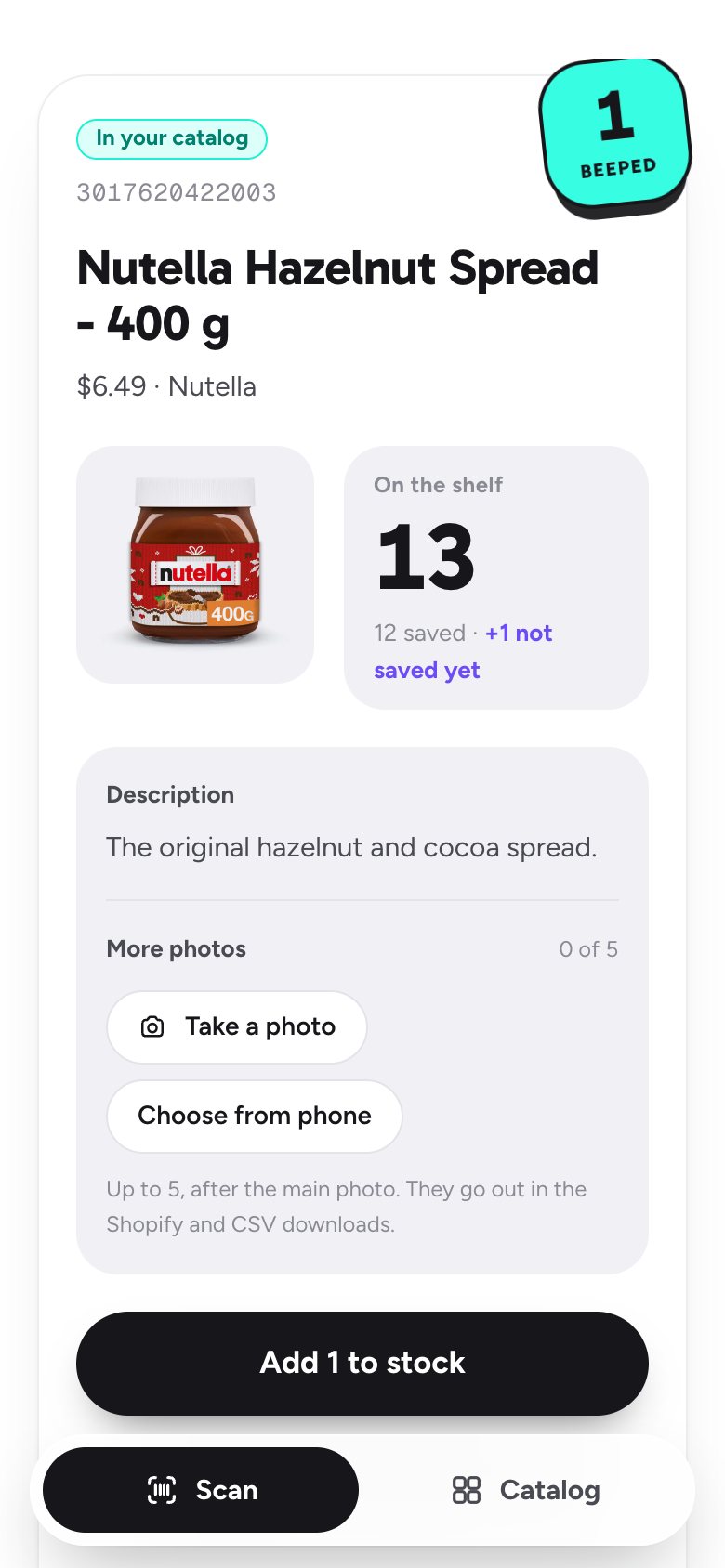
Walk the shop and beep. Items you carry count up by one, with a sticker that pops on every beep so you know it took, even in a loud store. Counted a whole shelf? Set the number in one tap.
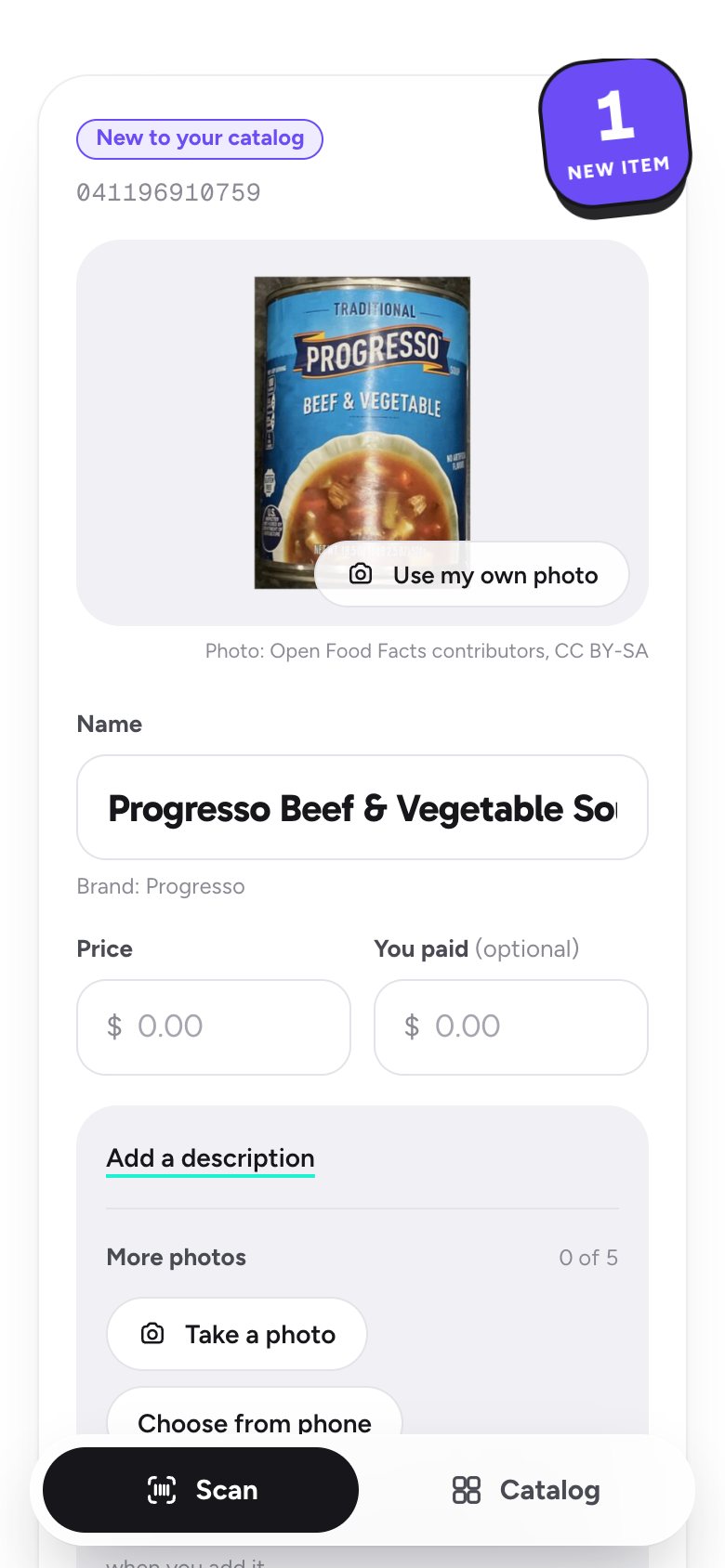
New items write themselves up.
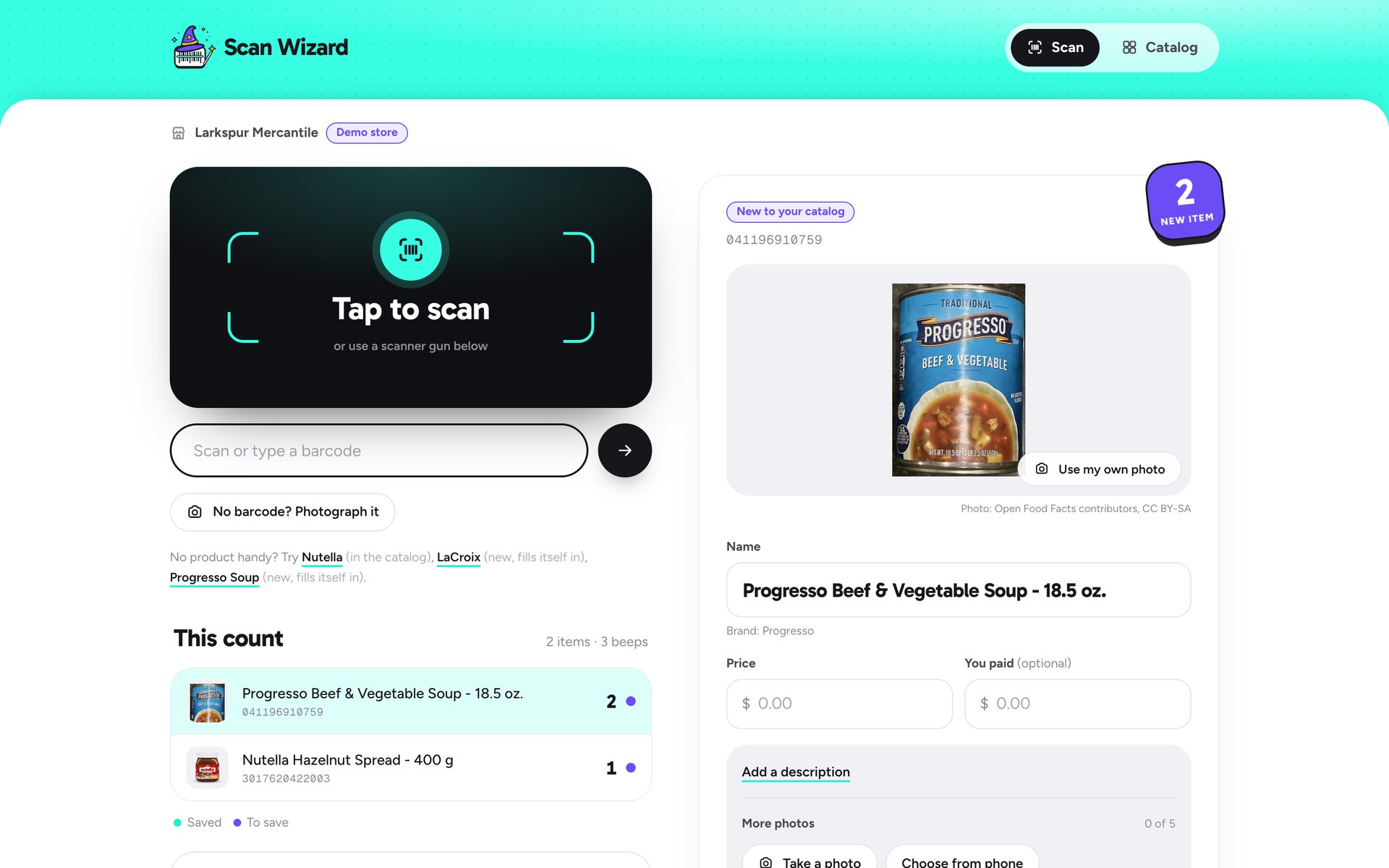
Beep something the store has never sold. Its name, brand, photo and description fill in on their own. Staff type the price and tap Add. The next item is already waiting.
- Keep beeping while it searches. It fills in by itself.
- Warns when a price is below what you paid.
- Up to 5 more photos per item, straight from the phone.
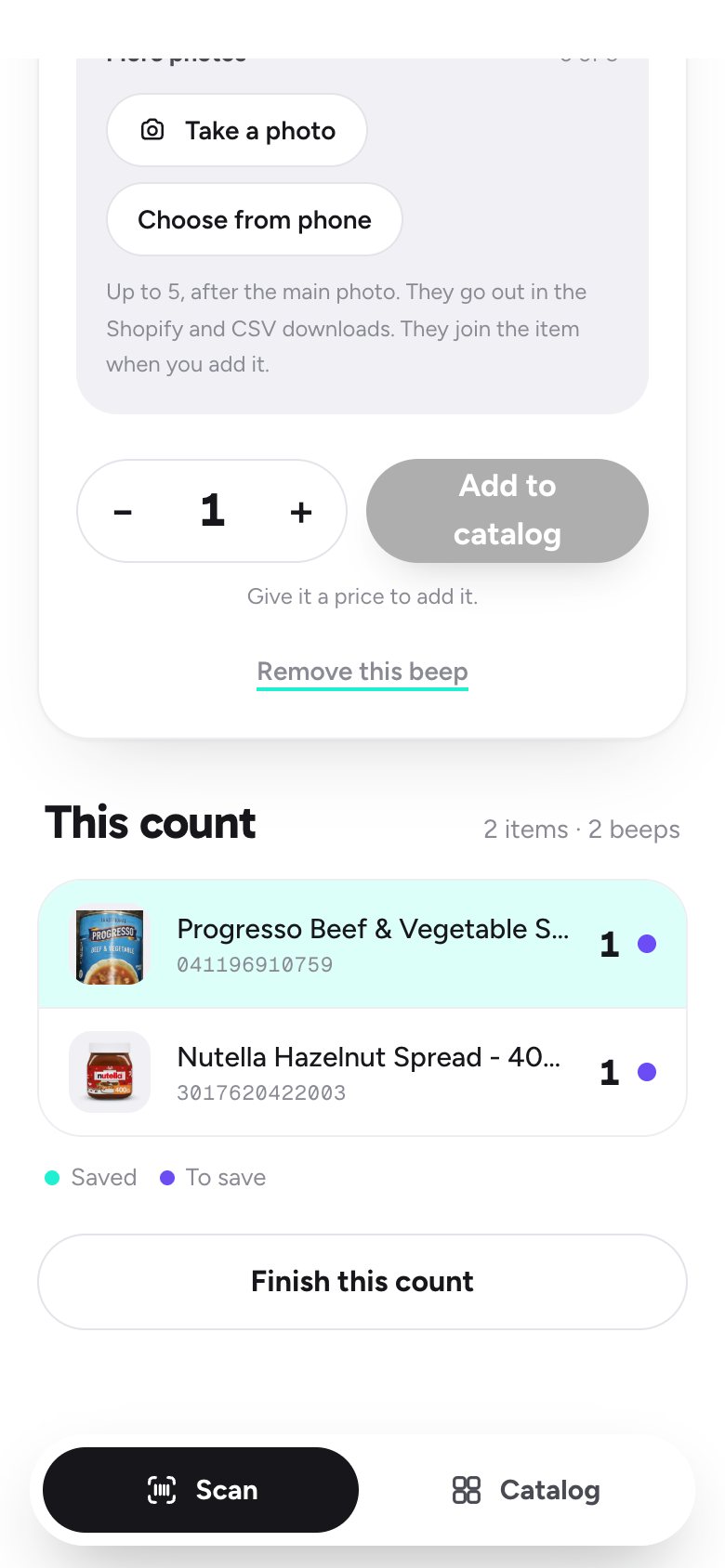
Every beep is saved the moment it happens.
The count lives on the server, not the phone. Reload the page, switch phones, lose the wifi for a second: nothing is lost and nothing counts twice. Every save carries the name of who counted it.
- Two staff, two phones, one count.
- Mint dot: saved. Violet dot: still to save.
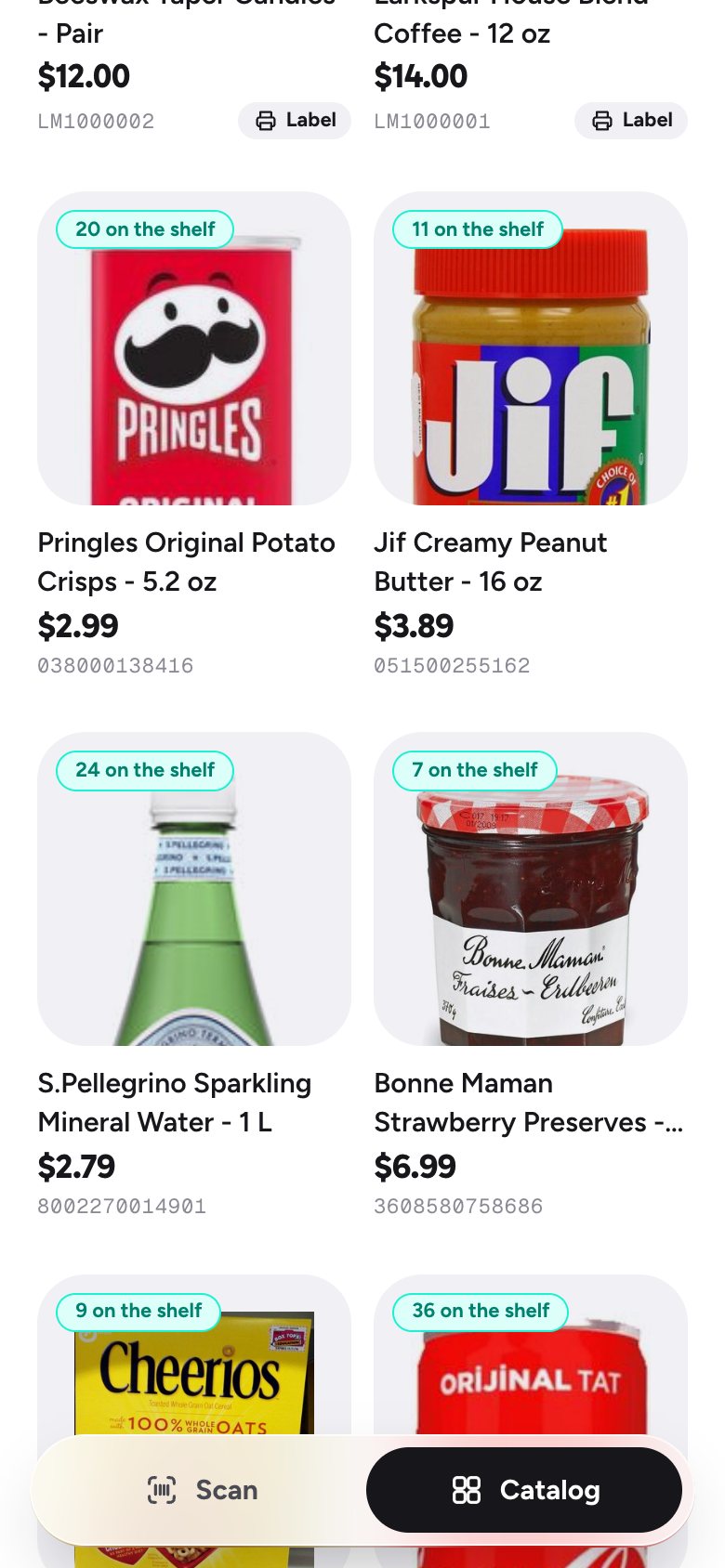
A shop window you can download.
Everything you stock, with photos, prices and counts. One tap downloads it in your register's own import format, or as a stock list with a column for every photo.
Built for a real shop floor.
No barcode? Photograph it.
Handmade and house goods get their own barcode from a photo, ready to label.
Labels on plain sticker sheets
Prints barcode labels on Avery 5160 sheets. Used sheet? Skip the stickers already gone.
Scratched bars? It reads the digits.
Snap the numbers under the barcode. The app reads them and checks the math before it trusts them.
No double items
"Already in your catalog" catches a new beep that's really something you stock, before it's added twice.
Scanner guns welcome
Any USB or Bluetooth scanner gun works on a phone or the counter computer. No setup.
Photos you're allowed to use
Maker photos, open barcode libraries with credit, or your own snap. Never another shop's photos.
Camera on the left. The item, always in view.
On a laptop or the register screen, a scanner gun beeps and the item opens on the right, ready for its price.
Works with what you already use.
Download your catalog ready to import. At Surf Zone it talks to Clover and Shopify directly, and that live connection comes to every store next.
Questions store owners ask.
What does the barcode scanner app do?+
You beep a product with your phone camera or a scanner gun. Items you already stock count up by one. New items arrive with their name, photo and description already filled in, so you only type the price. Then you download the catalog for your register or keep it in the app.
Does it work with my register?+
Yes. It downloads your catalog in the import format for Clover, Square and Shopify, plus a plain spreadsheet for Lightspeed and every other register. Direct connections to Clover and Shopify already run at Surf Zone, the shop it was built for.
Do I need a special scanner?+
No. Any iPhone or Android phone camera works, right in the browser. A USB or Bluetooth scanner gun works too, on a phone or a computer. There is nothing to install.
What if a product has no barcode?+
Take its photo. The app gives it its own barcode and prints labels on ordinary Avery 5160 sticker sheets. If a barcode is scratched or written over, the app reads the printed digits and checks them before using them.
Where do the product photos come from?+
From the maker, from open barcode libraries such as Open Food Facts (credited where they show), or from your own phone. Never from other shops' websites.
Can I try it before buying?+
Yes. The live demo is a made-up general store running the real app. Beep anything in your kitchen, or tap a sample. Every visitor gets a private practice store.
 See it running
Beep something
in your kitchen.
The demo is a made-up general store running the real app. Open it on your phone, tap Tap to scan, and point it at any jar or box.
Counting stock is free. AI write-ups: 50 items $20, 100 items $30, 500 items $140. Questions? Talk to Miriam.